Appearance
Unattended Scheduled Export
Schedule exports to run automatically at specific intervals. This feature replaces the Data Backup feature.
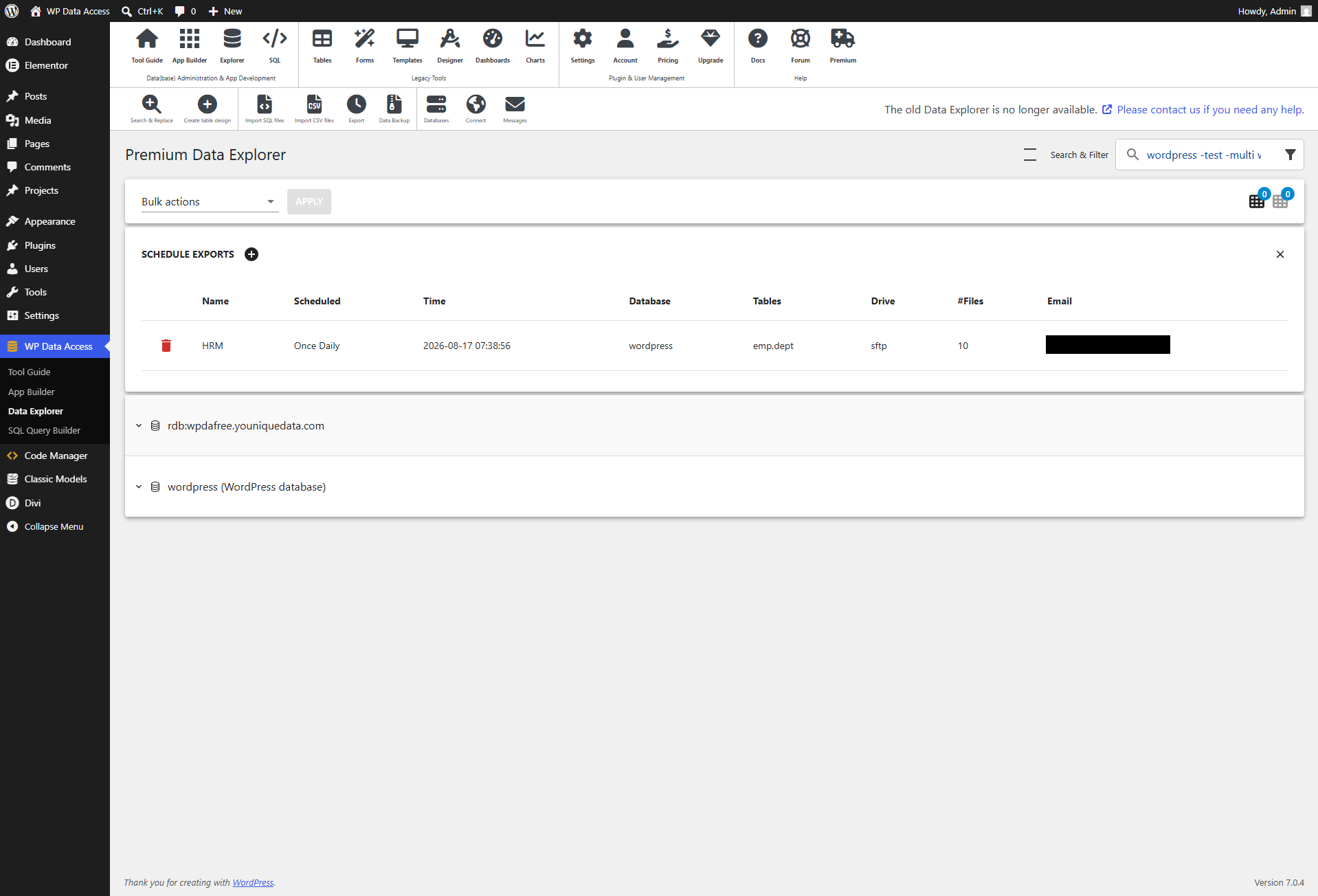
Schedule Exports
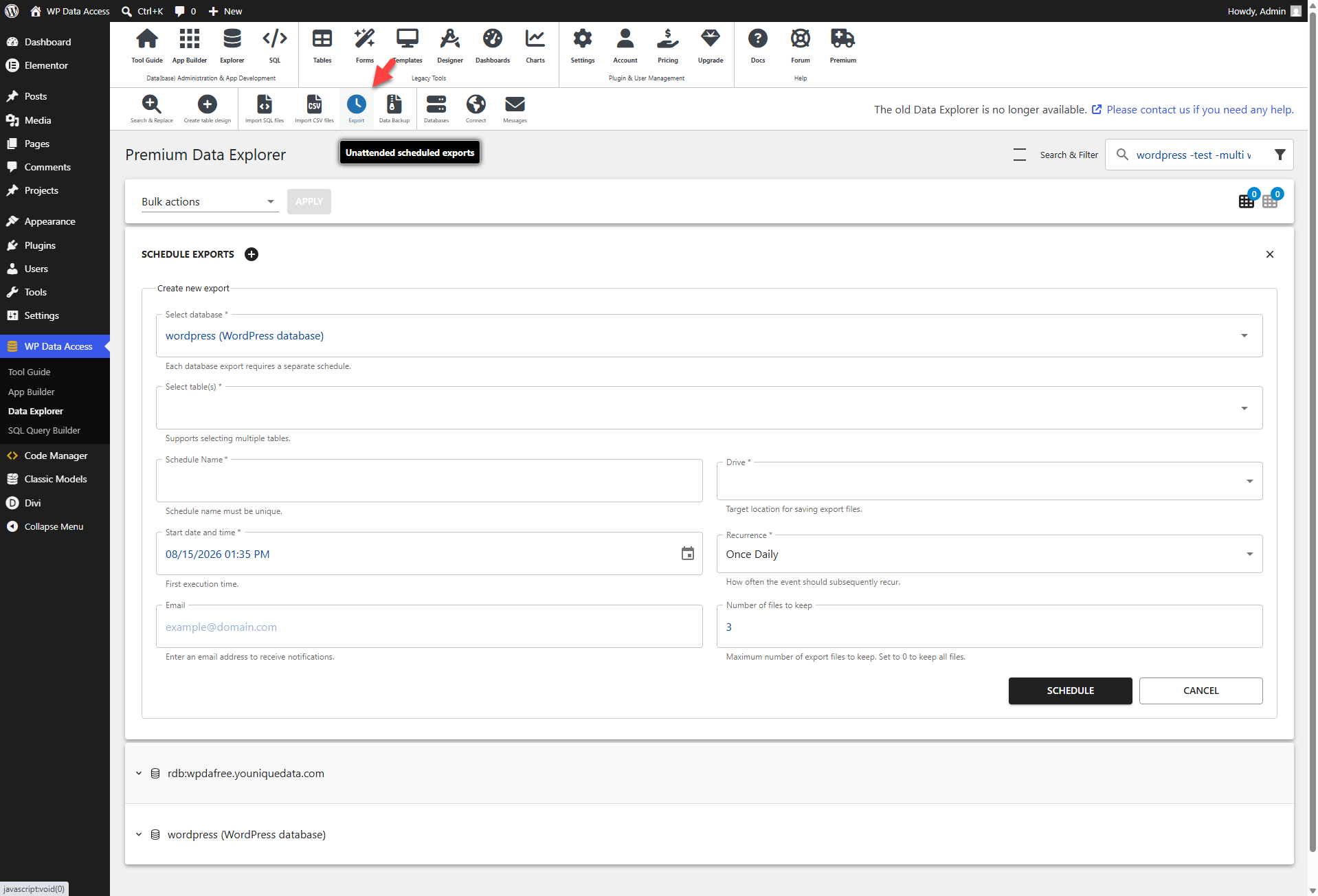
Click the + (plus) icon next to the Schedule Exports label to create a new export.
⚙️ Select Database
Choose the database from which you want to export.
- Does not support multiple selections.
- Create a separate export for each database.
⚙️ Select Table(s)
Select the tables you wish to export.
- Allows multiples selections.
⚙️ Schedule Name
Enter a name that will help you identify this scheduled export later.
⚙️ Drive
Select the destination drive where your export files will be stored.
📌 Requires drive configuration in the plugin settings.
📌 Drive configuration is explained here...
⚙️ Start Date and Time
Set the first execution date and time.
⚙️ Recurrence
This option uses the WordPress Cron service to generate a list of available recurrence intervals, which can be easily extended. (read more...)
⚙️ Email
Enter an email address if you would like to receive notification results.
📌 Requires mail configuration in the plugin settings.
📌 Mail configuration is explained here...
⚙️ Number of Files to Keep
Specify the maximum number of export files to retain.
📌 Default = 0 = keep all files
✨ Example
Click the SCHEDULE button to enable the export.
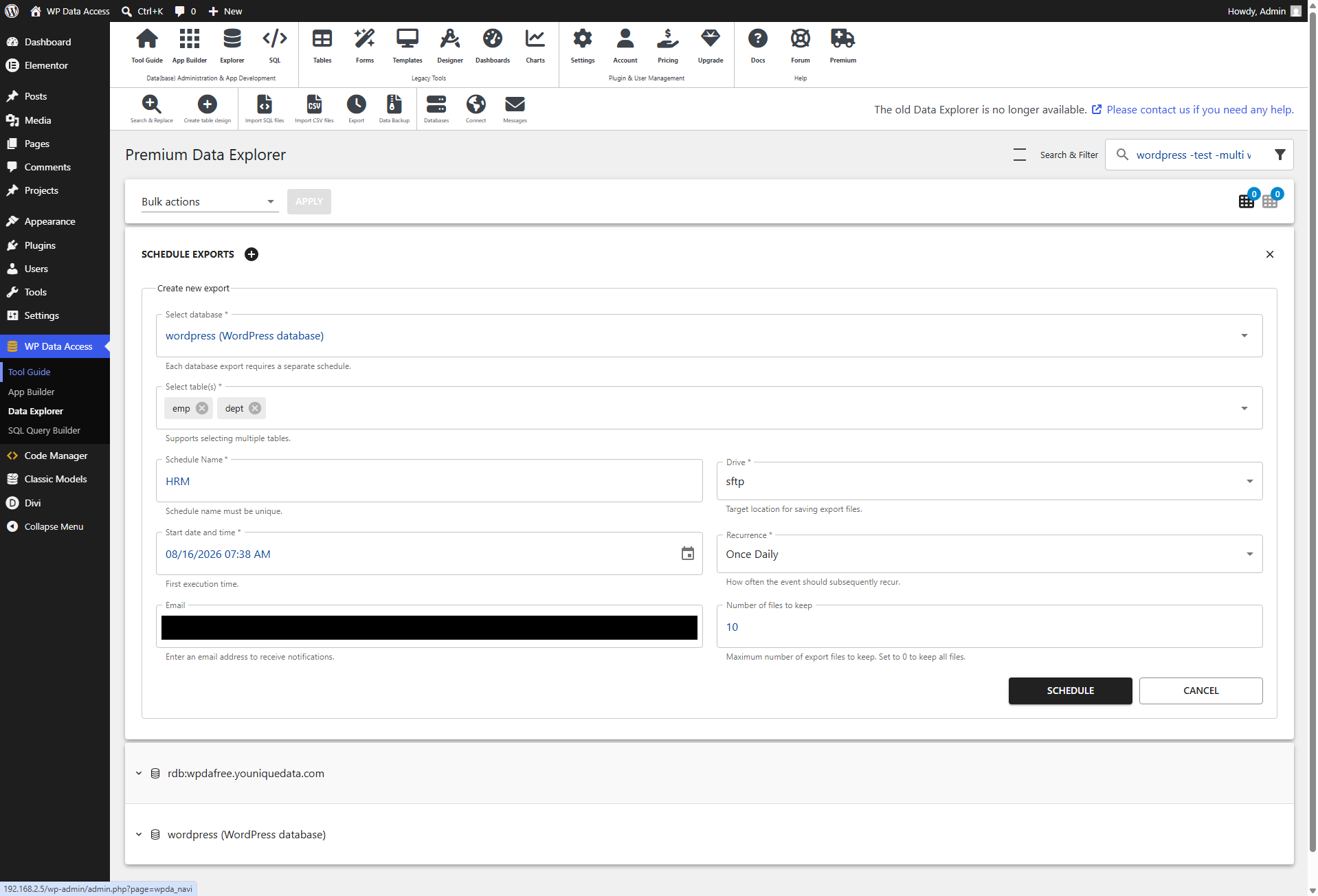
View Scheduled Exports
After submission, the scheduled export appears in the list, where you can remove it at any time.